Installation
To begin using Starfall, all that is required is a couple of things.
Step 1
- Well, the first thing you should do is make sure that Node.js is installed on your computer.
- You will even need npm, which is a tool for package management.
- After that, you're all set up to enter Starfall and build your app.
Step 2
git clone https://github.com/ArjunCodess/neon-oss-starter-kit.git my-app
Step 3
cd my-app
Step 4
npm install
Step 5
npm run dev
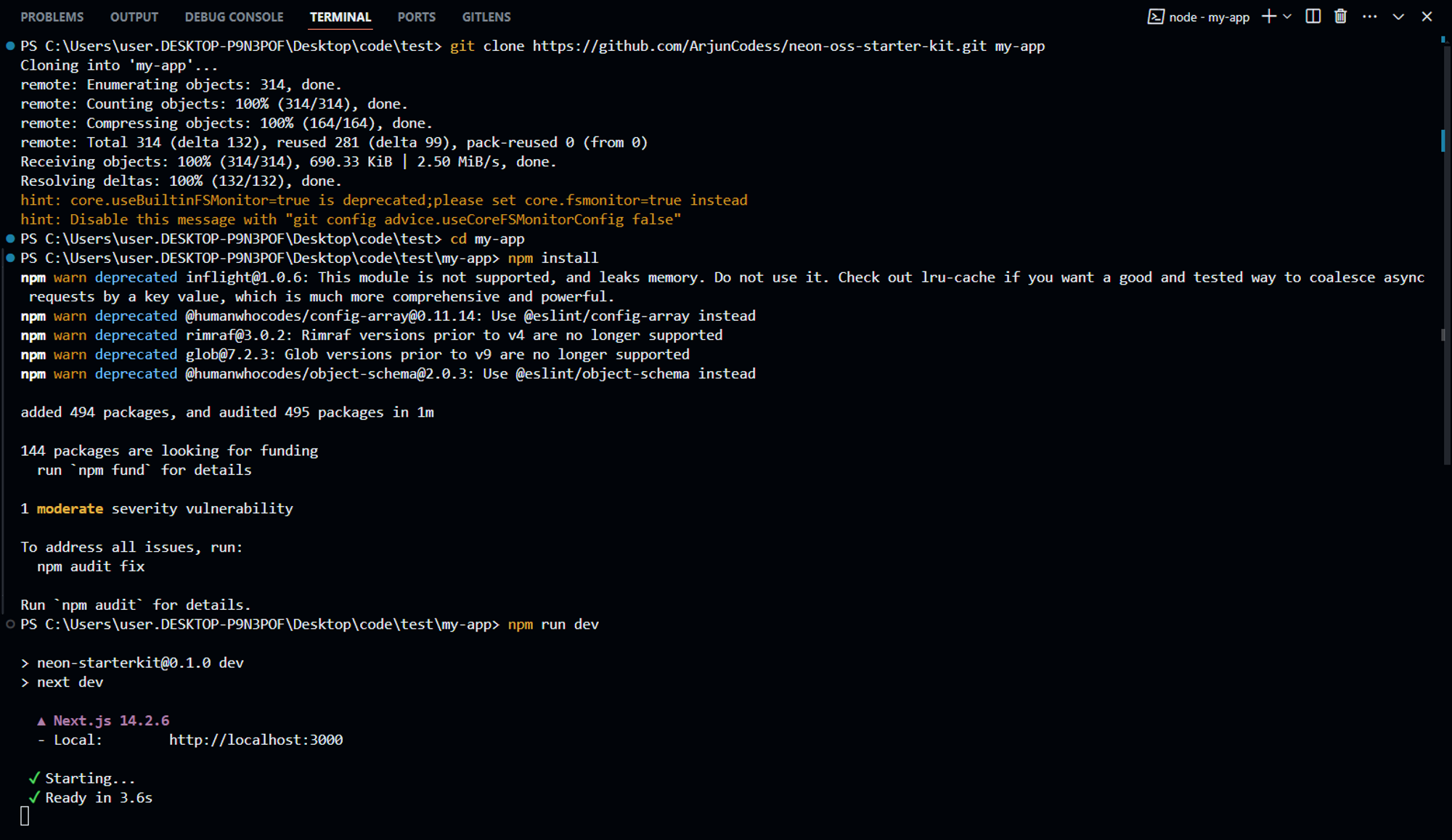
Your terminal should be looking like this, by now.
Step 6
And now, open localhost:3000 on your browser to continue.
That's it! You have successfully installed the Starfall Starter Kit on your machine. You can now start building your next big project using the built-in components and features provided by the kit.
But guess what?
This doesn't work and the site throws an error!
The reason is the environment variables. Let’s take a look at them in the next section.